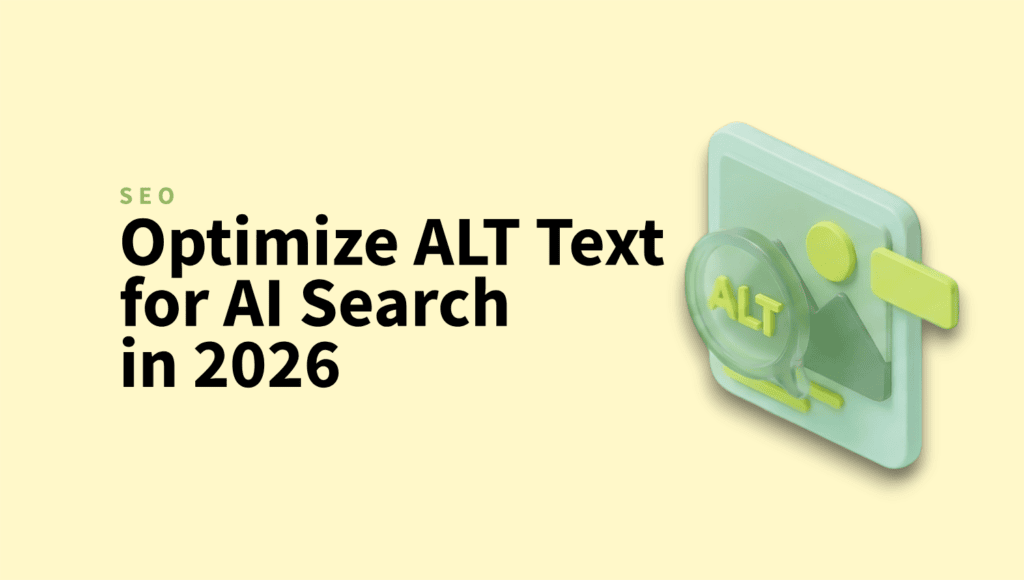
Why ALT Text Is Your Secret Weapon for AI Search Visibility in 2026

ALT text used to be the thing you filled in to keep your accessibility plugin quiet.
In 2026, it’s quietly become one of the highest-leverage things you can do to show up in AI search results.
The rules didn’t change. Who’s reading them did. Googlebot is no longer the only crawler that matters. ChatGPT, Perplexity, Claude, and Bing’s Copilot all pull content from your site to generate answers. When they decide whether your image, your product, or your page is worth surfacing, ALT text is one of the first things they check.
Here’s how to use that to your advantage.
Quick Takeaways
- AI crawlers like GPTBot, PerplexityBot, and ClaudeBot rely heavily on ALT text to confirm what an image actually shows, even though they can “see” the image themselves.
- Vague or missing ALT text is now actively costly, not just a missed opportunity, because it can contradict what the AI’s vision model already inferred.
- Good ALT text in 2026 is descriptive, contextual to the surrounding content, and written for humans first.
- For sites with hundreds or thousands of images, manually rewriting ALT text isn’t realistic.
- WordPress users can automate this end-to-end with the AI Image SEO feature in ShortPixel Image Optimizer, which generates ALT text alongside compression.
What changed: ALT text in the age of AI crawlers
Modern AI crawlers can see your images. Computer vision models identify objects, read embedded text via OCR, and understand scenes without your help.
So a fair question is: if the crawler can already see the image, why does ALT text still matter?
Three reasons.
It’s the explicit signal. Vision models make probabilistic guesses. ALT text is a direct statement. When both line up, the crawler’s confidence goes up, and so does the chance your image gets surfaced. When they don’t line up, “wrong but specific” loses to “vague but consistent.”
AI answer engines quote it. When ChatGPT or Perplexity generates an answer that includes an image, the surrounding description often comes straight from the ALT attribute. If your ALT text says “blue ceramic pour-over coffee dripper on a walnut counter,” that’s what gets surfaced. If it says “image1,” you’re invisible in that answer.
It’s still your accessibility baseline. Screen readers haven’t gone anywhere. Roughly 15% of the world has some form of disability, and good ALT text is still the single most important thing you can do for image accessibility. AI visibility is a bonus on top of that.
What good ALT text looks like in 2026
The old advice was “describe the image.” That’s still true. But a few things matter more now than they used to.
Be specific, not generic
Bad: alt=”coffee”
Better: alt=”espresso shot pulling into a white ceramic cup”
Best: alt=”espresso shot pulling into a white ceramic cup, golden crema forming on top”
The “best” version isn’t longer for the sake of being longer. It includes details a vision model can verify (golden crema, white ceramic) and details that match what someone might actually search for.
Match the surrounding content
If your blog post is about latte art techniques and your image is tagged alt=”coffee cup”, you’re wasting the strongest contextual signal you have.
AI crawlers compare ALT text against the surrounding paragraphs. When they match, your image looks like a genuine illustration of the topic. When they don’t, the image starts looking like decoration. And decorative images get deprioritized in image search and AI answers.
Skip “image of” and “picture of”
Screen readers already announce that it’s an image. AI crawlers already know it’s an image. Starting your ALT text with “image of” wastes characters and adds nothing. Just describe the thing.
Don’t keyword-stuff
This one trips a lot of people up.
Stuffing ALT text with keywords used to be a minor SEO tactic. In 2026 it’s a liability. Vision models will flag the mismatch between what the image actually shows and what you claimed it shows. Stuffed ALT text reads as low-quality content to AI systems, and that signal compounds across your site.
Keep it under ~125 characters when you can
This isn’t a hard limit, but most screen readers pause around that length, and AI summaries tend to truncate longer descriptions. If you need more detail, use the surrounding paragraph or a caption, not the ALT attribute.
A practical ALT text framework
When you’re writing ALT text from scratch, run through these four questions:
- What’s literally in the image? (subject, key objects, setting)
- What’s the function of this image on this page? (illustration, product photo, screenshot, decoration)
- What would someone need to know about this image if they couldn’t see it?
- What words might someone use to search for this?
You don’t need to answer all four in the ALT text itself. They’re prompts to make sure you’ve actually thought about the image.
For a product photo on an ecommerce page, that might be:
alt=”dark walnut dining table with tapered legs, seats six”
For an instructional screenshot in a tutorial:
alt=”WordPress media library with the auto-optimize toggle highlighted”
For an editorial photo in a blog post:
alt=”empty office at night, single desk lamp on, laptop open to a spreadsheet”
None of these need to mention SEO, the brand, or the keyword you’re targeting. The descriptions do that work naturally.
When to skip ALT text entirely
Decorative images, the kind that exist purely for visual rhythm and add nothing to the content, should have empty ALT attributes (alt=””), not missing ones.
The difference matters. alt=”” tells crawlers and screen readers “this is decorative, skip it.” A missing ALT attribute tells them “the author forgot.” One is intentional. The other looks sloppy.
This is especially true for background patterns, divider graphics, and anything purely aesthetic.
The scaling problem
Here’s where most sites hit a wall.
Writing thoughtful ALT text for ten images is fine. Writing it for a 200-product WooCommerce catalog is a project. Writing it for a Media Library that’s been collecting images since 2018 is a multi-week task that nobody on your team is excited about.
This is the same scaling problem we saw with image compression a few years ago. The right answer back then was to automate it. The right answer now is the same.
Automating ALT text on WordPress with ShortPixel
If you’re on WordPress, ShortPixel Image Optimizer handles this as part of a broader image management workflow through its AI Image SEO feature. It analyzes images visually and optionally factors in where they’re used, whether that’s a blog post, a landing page, or a WooCommerce product listing.
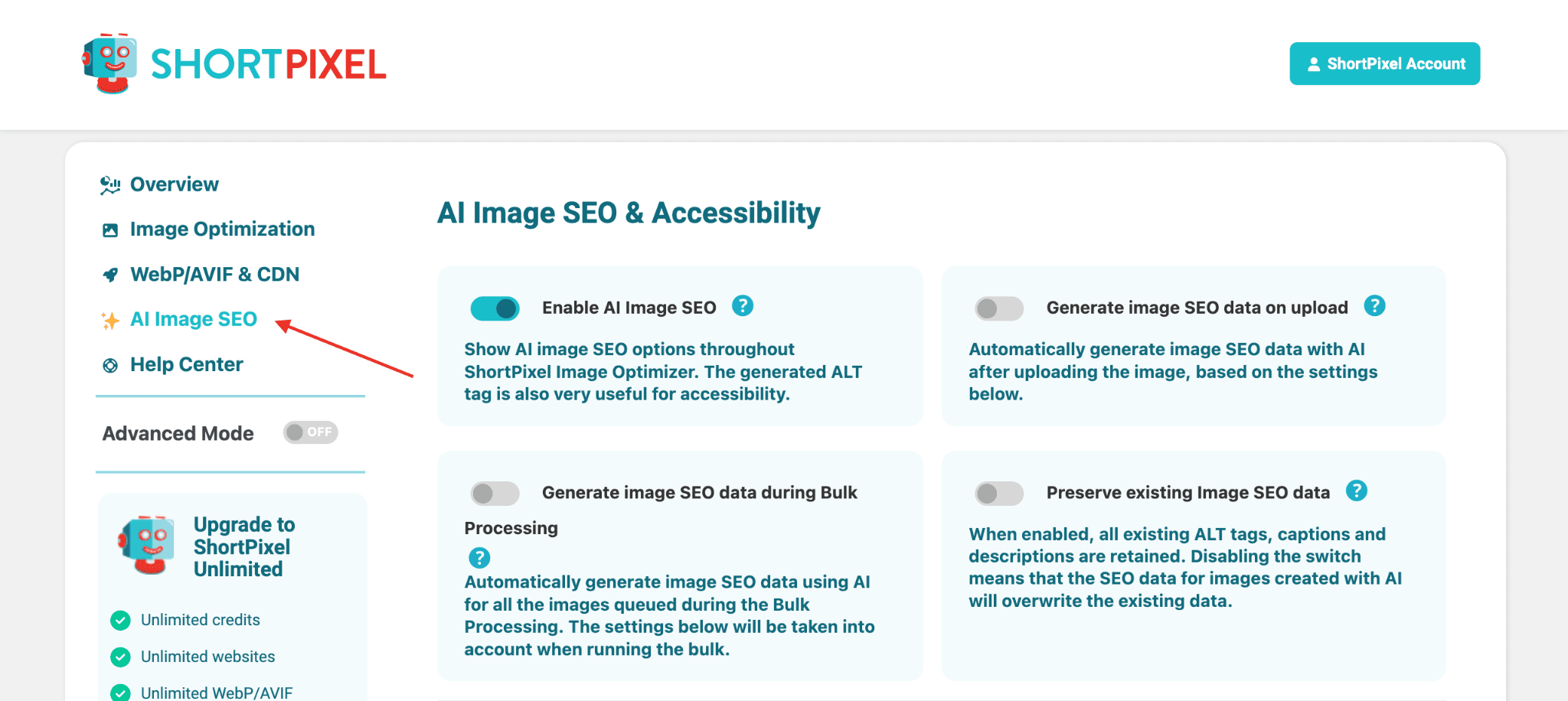
A few things worth knowing about how it works:
- It runs as part of the same plugin that handles image optimization, WebP/AVIF conversion, and CDN delivery, so you’re not stacking multiple tools to cover the same image pipeline.
- You can apply it to your existing Media Library in bulk, not just new uploads. For sites with years of unlabeled images, this is the heavy lifting.
- Beyond ALT text, it generates titles, captions, and descriptions too, filling in the metadata fields most sites leave empty.
- Prompts, character limits, and output language are all customizable, which matters if you have brand voice rules or need output in something other than English. It supports 130+ languages.
- WooCommerce integration means product photos get covered automatically, which is where most stores have the biggest gap. Product photos without ALT text are invisible to AI shopping assistants and image search alike.
- Output follows WCAG accessibility guidelines, so the same descriptions that help AI crawlers also work for screen readers.
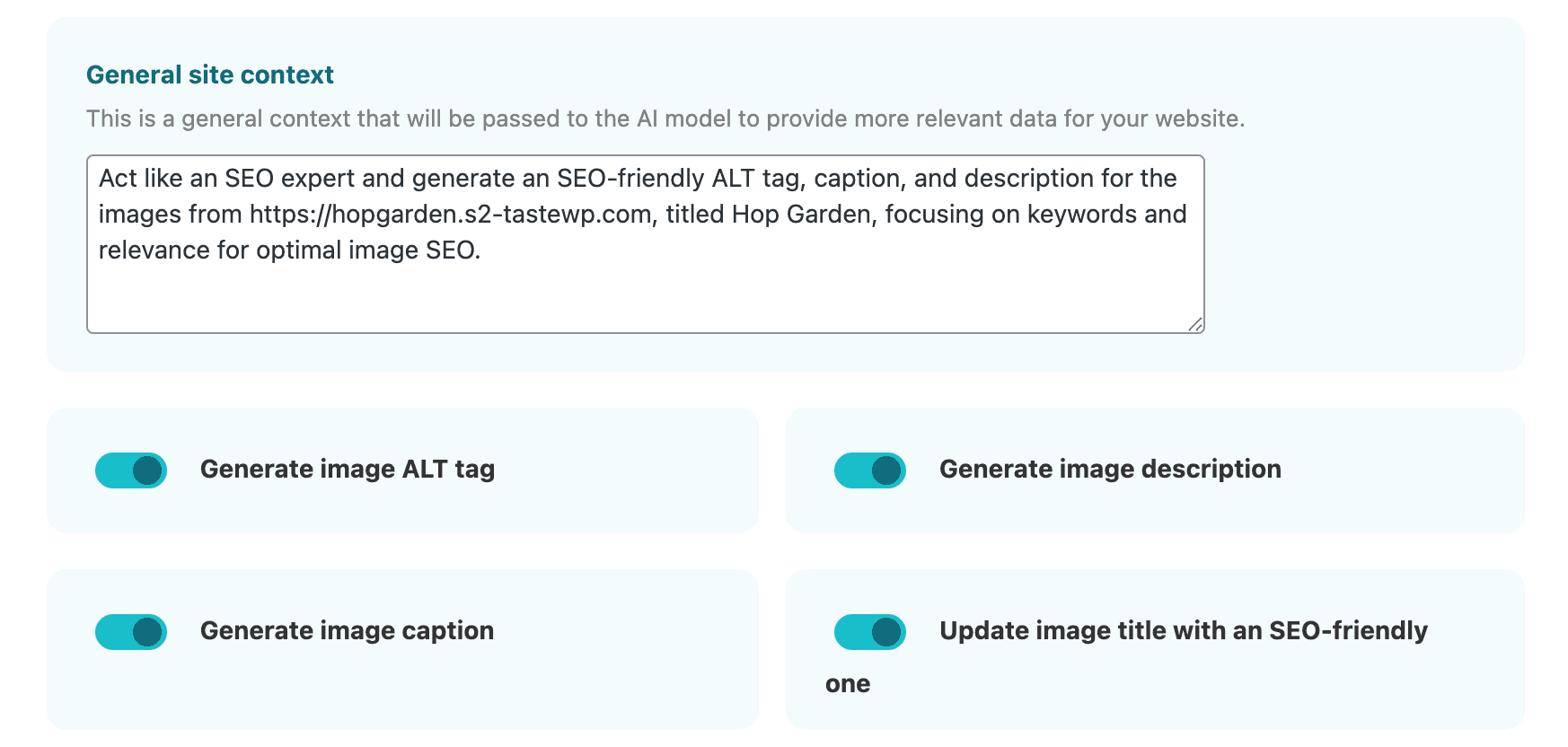
The general workflow we’d recommend:
- Run AI Image SEO across your existing Media Library as a one-time bulk job.
- Spot-check results on your top 20-30 highest-traffic pages and refine where it matters most.
- Leave it on for new uploads so future images are covered automatically.
A quick checklist before you ship
Before you publish a page in 2026, run through this:
- Every meaningful image has descriptive ALT text
- ALT text matches the surrounding content
- No “image of” or “picture of” prefixes
- No keyword stuffing
- Decorative images have alt=””, not missing attributes
- Filenames are descriptive too (walnut-dining-table.jpg beats IMG_4823.jpg)
- Images are compressed and served in WebP or AVIF
The last two aren’t strictly about ALT text, but AI crawlers weigh them together. A descriptive ALT text on a 4MB unoptimized JPEG with a generic filename is sending mixed signals.
The bottom line
ALT text is one of those tasks that’s easy to deprioritize because nothing visibly breaks when you skip it. Your site looks fine. Your pages load. Your designer doesn’t complain.
But in 2026, AI crawlers decide which images, products, and pages get pulled into answer boxes, shopping results, and chat responses. ALT text is the cheapest, most direct signal you can give them.
If you’ve got a small site, write it by hand and write it well. If you’ve got a big one, automate the bulk and refine what matters. Either way, stop treating it as the accessibility checkbox you fill in last.
FAQs
Does ALT text still matter in 2026 with AI vision models?
Yes, more than ever. AI vision models can see your images, but ALT text confirms what they’re looking at and is often quoted directly when AI answer engines surface your image in a response.
How long should ALT text be?
Aim for under 125 characters when possible. Most screen readers pause around that length, and AI summaries truncate longer descriptions. If you need more detail, put it in a caption or surrounding paragraph instead.
Should decorative images have ALT text?
No, but they should have an empty ALT attribute (alt=””). This tells crawlers and screen readers to skip the image intentionally. A missing ALT attribute looks like an oversight and can hurt your accessibility score.
Can I use AI to write ALT text at scale?
Yes. For WordPress, ShortPixel’s AI Image SEO generates context-aware ALT text in bulk across your Media Library, with support for 130+ languages and full editability.
Does keyword-stuffing ALT text help SEO?
It hurts more than it helps. AI crawlers compare your ALT text to what’s actually in the image. When they don’t match, your content reads as low-quality, and that signal compounds across your site.
Try ShortPixel on WordPress for free!
Easily optimize your pictures and add AI ALT Texts in bulk using ShortPixel Image Optimizer.