WordPress Image Background Removal: Best 2026 Solution

Clean product images and professional visuals are essential for e-commerce stores, portfolios, and business websites.
Often, the difference between an amateurish snapshot and a professional asset is the background. A cluttered environment can distract from the subject, while a clean, transparent background focuses the eye precisely where you want it.
Historically, achieving high-quality background removal required software like Adobe Photoshop and significant hours spent mastering various features. Today, AI has changed the game. You no longer need to leave your WordPress dashboard to achieve studio-quality results.
In this post, we’ll discuss background removal, explore who needs it most, and recommend the best WordPress plugin to automate this process directly within your media library.
Quick takeaways
- Removing image backgrounds creates a professional, distraction-free aesthetic that is proven to keep focus on products and increase conversions.
- Plugins allow you to remove backgrounds from images directly inside the WordPress dashboard, eliminating the need for external tools like Photoshop.
- ShortPixel Image Optimizer is the standout choice for users who want to handle background removal and image compression in a single, efficient workflow.
What background removal actually does
Many users understand the outcome but not the process.
Background removal is essentially the task of isolating the main subject (a product, person, object, etc.) from everything else in the photo.
Traditionally, this was done through manual selections, layer masks, and fine-tuning edges. Modern AI tools analyze the image, detect the subject’s contours, identify shadows, and generate a clean cutout automatically.
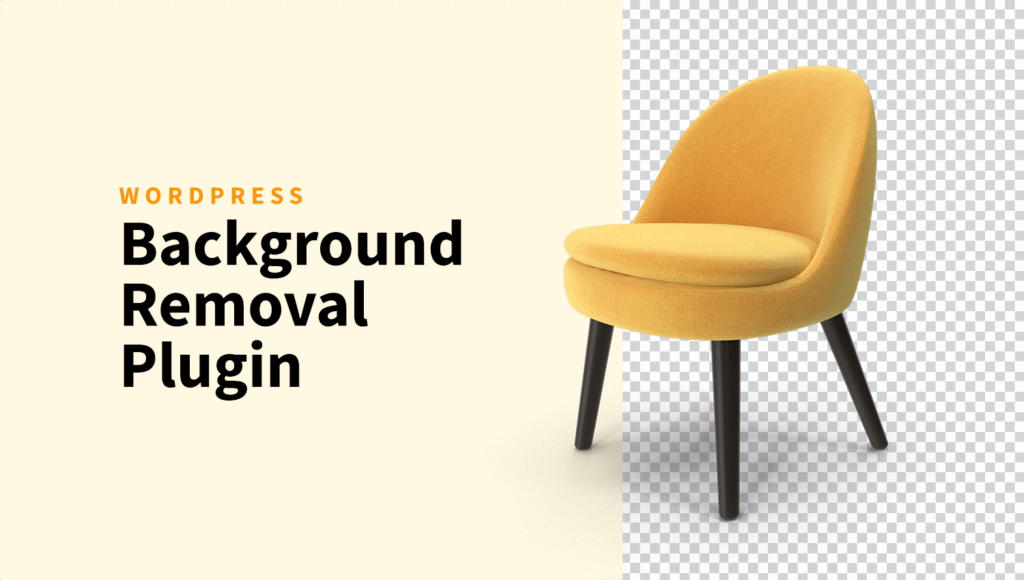
The end result is a new file where the subject sits on a fully transparent background, ready to be placed into any layout without visible borders or unwanted artifacts
How AI handles the separation
AI-driven background removal tools rely on segmentation models trained on millions of images. They evaluate shapes, contrast differences, and depth cues to decide which pixels belong to the foreground and which belong to the background.
A good model should handle:
- fine edges like hair, fur, and soft fabric
- transparent and semi-transparent objects such as glass or plastic
- shadows around the base of the subject
- multiple subjects in the same image
This is how today’s plugins manage to turn a raw phone photo into a near-studio-quality cutout in seconds.
Who is this for?
While almost any site can benefit from cleaner imagery, certain WordPress users will find automated background removal tools indispensable to their workflow.
- E-commerce store owners (WooCommerce): This is the most critical use case. Product catalogs require uniformity. Automatically stripping the background from hundreds of product photos ensures a clean grid view and higher conversion rates.
- Professional bloggers and influencers: Creating featured images for posts, social media graphics, and author bio photos often requires isolating subjects to place them into branded templates.
- Agencies and web designers: When clients provide subpar assets, designers often have to fix them. Having a tool right in the WordPress installation speeds up the development process and allows for rapid prototyping of headers and banners.
- Real estate and automotive listings: High-volume listing sites need to standardize images quickly to make the subjects (cars or houses) pop against neutral backgrounds.
Best background removal solution for WordPress
While there are plenty of online tools that remove image backgrounds, very few options integrate properly with WordPress.
We tried comparing multiple plugins that claim to offer this feature, but most were either limited, outdated, or not worth relying on.
In the end, the only solution that consistently delivers solid results inside WordPress is ShortPixel Image Optimizer.
By using ShortPixel, you are already integrating a powerhouse tool for speeding up your website via image compression and serving WebP/AVIF. Leveraging the infrastructure for background removal means fewer plugins to manage and relying on a trusted vendor known for image quality.
ShortPixel’s background removal feature can be used easily via WordPress. After installing the plugin, navigate to Media > Library, open the image you want to edit, and choose the AI Background Removal option.
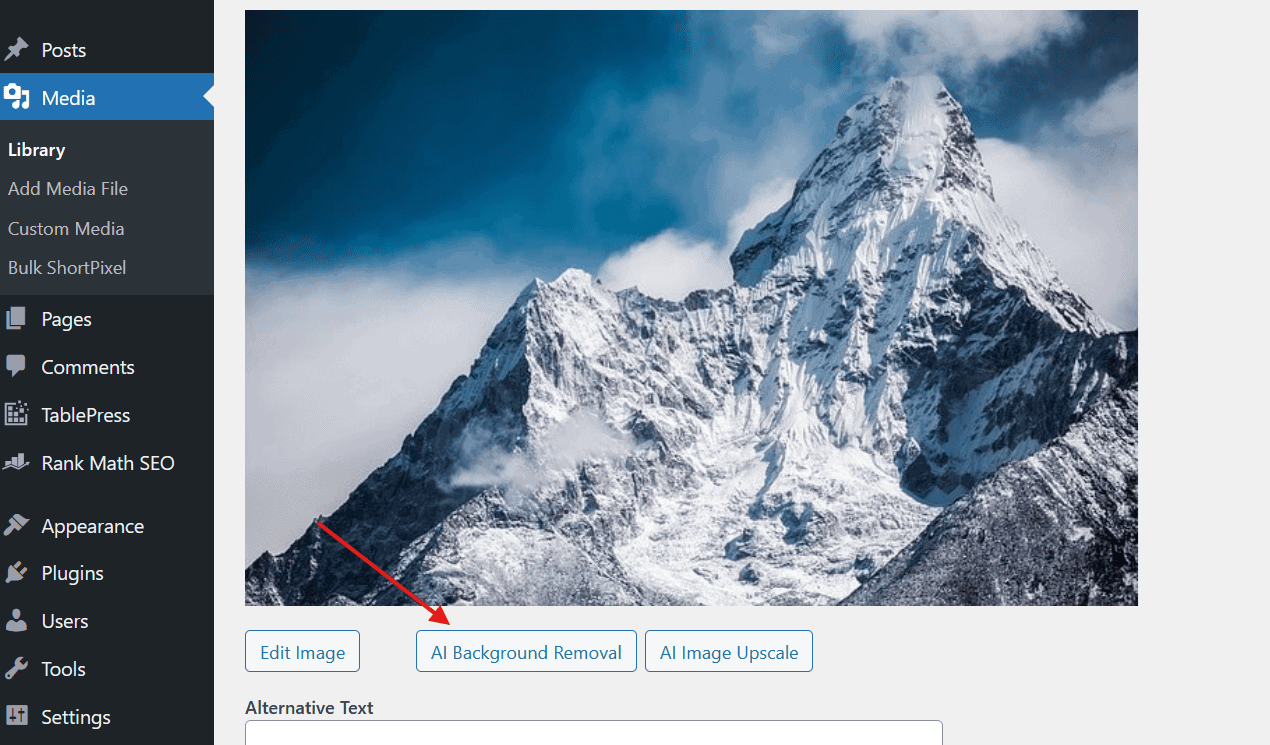
After you click the AI Background Removal button, you’ll see a new window.
Here you can compare the original image with the processed version and make a few final adjustments before saving.
You can choose whether the new image should have a transparent or plain white background, or switch to a solid color if you prefer something more controlled. This screen also lets you set a custom filename and image title so everything stays organized in your media library.
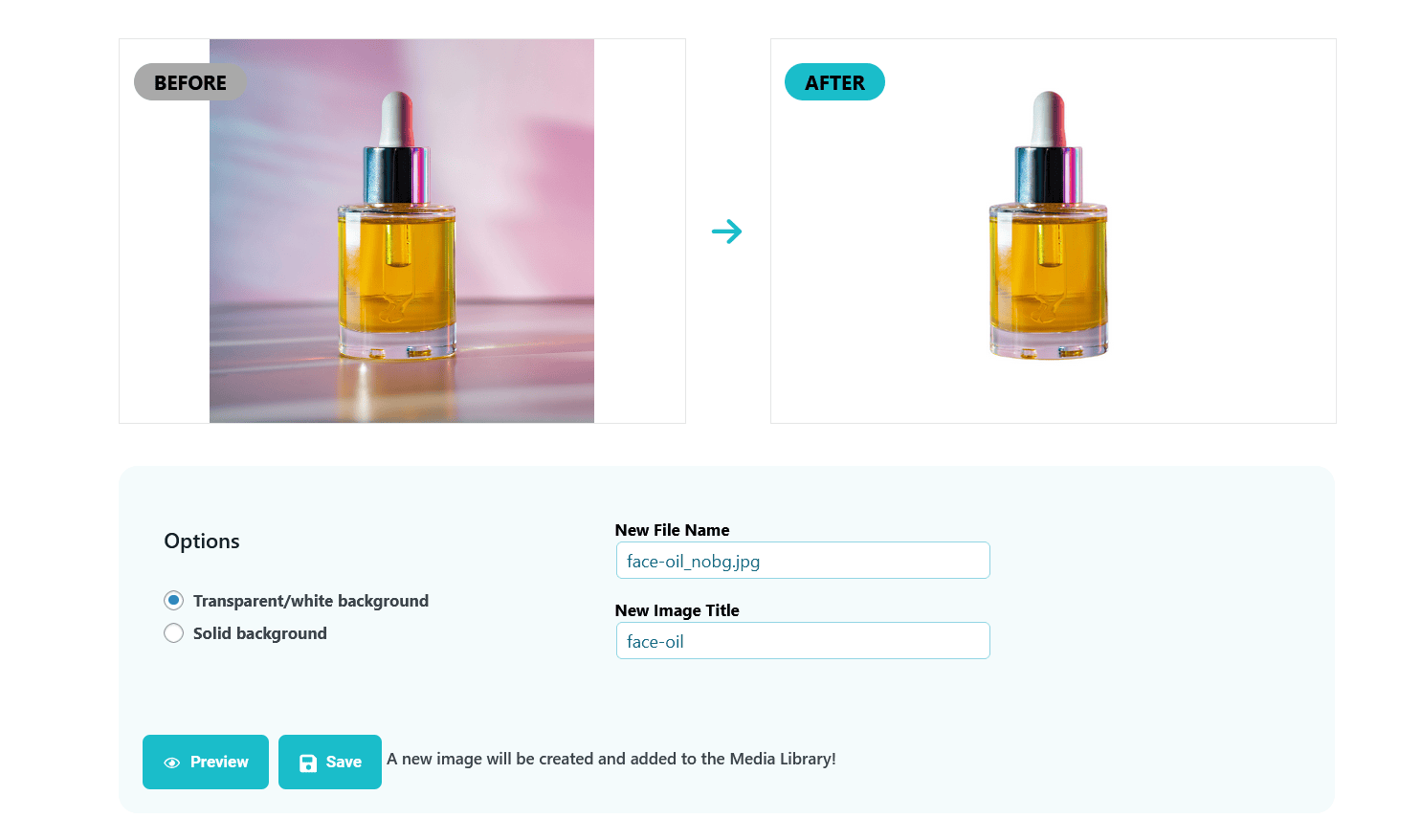
Once everything looks right, you can preview the result or save it. A copy of the new image will be saved in the Media Library.
Remove background with ShortPixel!
Ready to see ShortPixel’s background removal capability in action? Give it a spin on your next image.