TTFB: What It Is and How to Measure It Globally

You’ve probably seen TTFB show up in a speed test at some point. Maybe you ignored it. Maybe you Googled it and got a wall of technical text. Either way, here’s the plain version.
What is TTFB?
TTFB( Time to First Byte) is how long your browser waits after sending a request before the server starts responding. Not the full page load. Not images. Just: when did the first bit of data come back?
Before that happens, a few things have to go right. The browser looks up your domain in DNS to get an IP address. It opens a connection with the server. If the site is on HTTPS (it should be), there’s a TLS handshake too. Then the server actually has to do something, run PHP, pull from the database, check if there’s a cached page ready, put together the HTML.
When it finally starts sending that back, the first byte landing in your browser is where TTFB ends.
So the number reflects DNS time, connection overhead, and server processing. Any of those can drag it up. A slow DNS provider. A server in New York serving someone in Tokyo. WordPress doing 90 database queries because caching isn’t set up. All of it shows in that one number.
Why does TTFB matter?
Nothing loads until that first byte arrives. If your TTFB is 700ms, your visitor is staring at a blank page for 700ms before the browser even starts reading your HTML.
All your other optimizations, compressed images, minified scripts, lazy loading, don’t kick in until after TTFB is done. They can’t.
There’s also the Core Web Vitals angle. TTFB isn’t one of the three Core Web Vitals (LCP, CLS, INP), but it directly affects LCP (Largest Contentful Paint). The browser can’t start loading your hero image or main heading until it has the HTML, and it doesn’t have the HTML until TTFB is done. Slow TTFB means slow LCP, almost without exception.
High TTFB can also signal something worth fixing at the infrastructure level: overloaded shared hosting, an old PHP version, no caching set up, or a theme running too many queries on every load.
What is a good TTFB?
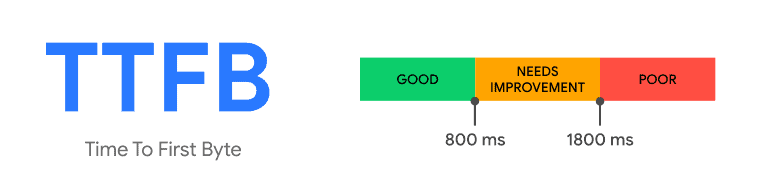
Under 200ms is generally considered good. Once you get into the 500–800ms range, something on the server side probably needs attention.
Hitting under 200ms for visitors everywhere is hard without a CDN. The reason is simple, your server is in one place. Someone in the same city gets a fast response. Someone in Singapore hitting a server in Frankfurt doesn’t. CDNs fix this by caching responses on edge nodes close to the visitor, so most requests never travel back to your origin at all. Without that, 80ms locally can be 600ms+ globally.
Also worth knowing: TTFB numbers vary between tools. Some measure from the DNS lookup; others only start after the connection is open. Neither is wrong, they’re just measuring slightly different things.
How to measure TTFB and why one location isn’t enough
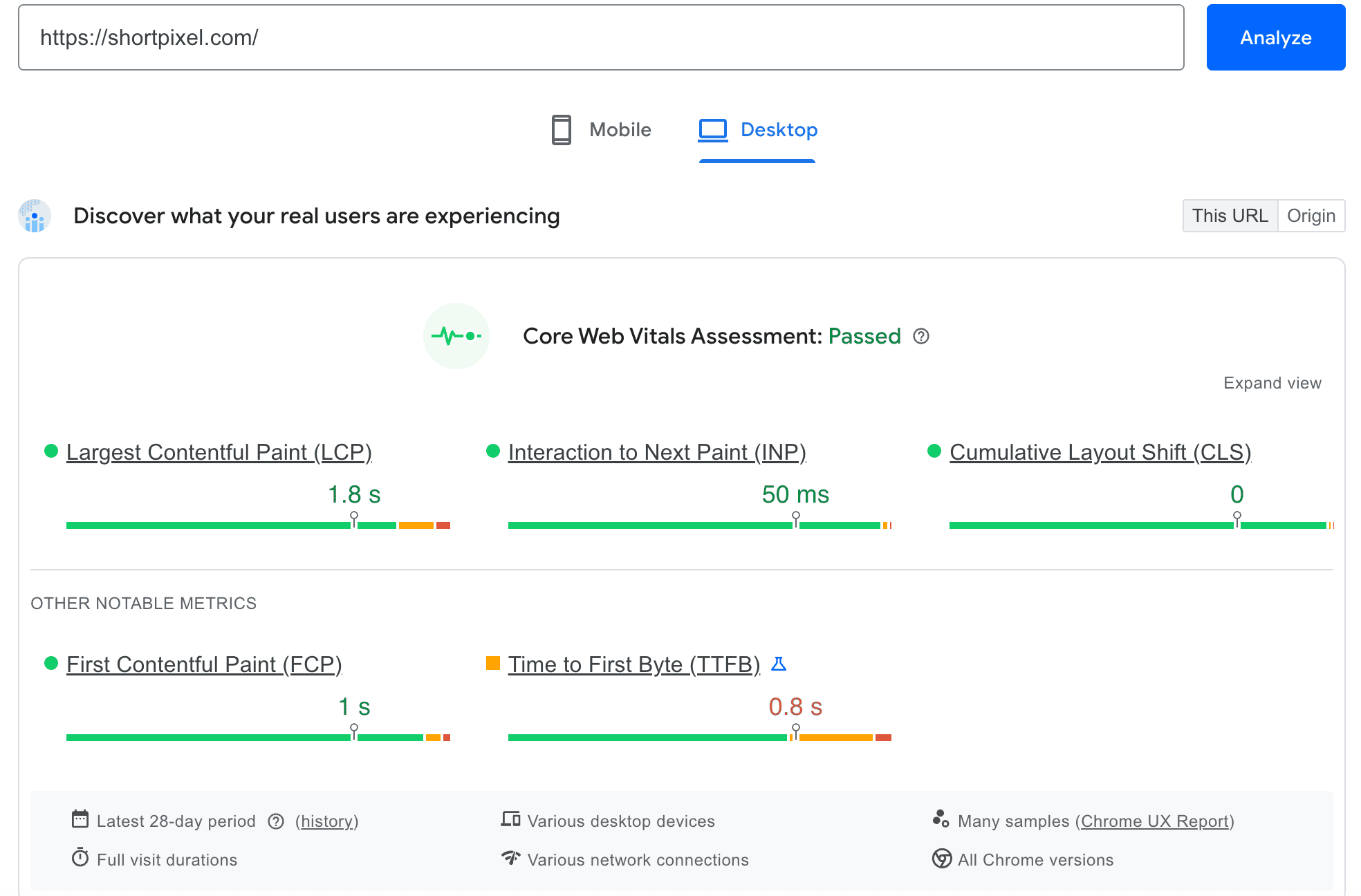
Running a speed test from your own browser only tells you how the site performs for you, from your location, on your network. That’s a single data point.
Your server is physically located somewhere. Visitors close to it get a fast response. Visitors far away don’t, even if everything is technically “working.” And if you’re using a CDN, you need to verify that edge nodes in different regions are actually serving cached content, not forwarding every request back to your origin server.
That’s why you should always test TTFB from multiple locations at once. It shows you which regions are slow, whether your CDN is actually doing its job, and whether any changes you’ve made actually improved things globally, not just for you.
Tools to test TTFB globally
1. SpeedVitals TTFB test
SpeedVitals is probably the most useful tool specifically for this. Paste a URL and it tests from 40 locations simultaneously.
For each location you get TTFB, DNS time, TCP connect, TLS, HTTP status, and importantly, whether your CDN returned a HIT or a MISS.
That HIT/MISS column is genuinely valuable. A MISS means the CDN edge node didn’t have a cached response and went back to your origin instead. If you’re seeing MISSes across multiple regions, your CDN isn’t actually helping TTFB for those visitors. Free to use, no account needed, results are shareable.
2. WebPageTest
WebPageTest is the most detailed free option available. It breaks down every request phase, DNS, connect, SSL, send, wait, receive, so you can see exactly where time went. The downside: it tests one location at a time, so you’d need multiple runs to get a global picture. Best for deep investigation rather than a quick check.
3. KeyCDN performance test
KeyCDN’s tool tests from multiple CDN nodes simultaneously. Particularly useful for testing individual assets, an image, a font file, a stylesheet, rather than a full page. Good for checking whether your CDN is delivering static files quickly across different regions.
4. Geekflare TTFB test
Geekflare’s tool keeps it simple. Paste a URL, get TTFB results from 10+ locations. No waterfall, no phases just response times per location. Good option for a quick global snapshot.
5. Pingdom Tools
Pingdom isn’t TTFB-specific it tests full page load, but server response time shows up in the waterfall. It’s been around for a long time and results are easy to share with clients or stakeholders.
How to reduce TTFB
If your TTFB numbers are higher than they should be, here are the most effective fixes:
✅ Use a CDN: the biggest lever for global TTFB. Cached responses served from nearby edge nodes cut out most of the latency for international visitors.
✅ Enable full-page caching: removes PHP execution and database queries for cached pages. This is usually where most server processing time goes on WordPress sites.
✅ Better hosting or PHP upgrade: moving to faster infrastructure often reduces server processing time significantly. A lot of sites are still on old shared hosting plans running PHP 7.4.
✅ Reduce database queries: bloated plugins or themes can trigger dozens of queries per request. WooCommerce without object caching is a common offender. Query Monitor is a free plugin that shows you exactly where the time is going.
✅ Use a caching plugin: if you’re using WordPress, you can install a caching and acceleration plugin like FastPixel. It automatically handles all performance optimizations for you, reducing TTFB and significantly improving your Core Web Vitals.
Bottom line
TTFB is where web performance starts. A slow server response delays the entire loading chain, there’s no front-end fix for a backend that’s slow to reply.
SpeedVitals is the easiest way to get a real global picture: one test, 40 locations, CDN cache status included. Run it, find where you’re slow, and go from there.
FAQs
Is TTFB a Core Web Vital?
No, the three Core Web Vitals are LCP, CLS, and INP. But TTFB directly affects LCP and FCP, both of which do matter for Google’s page experience signals.
What causes a high TTFB?
Usually one of: no page caching, slow or too many database queries, underpowered hosting, geographic distance from the server, or a CDN that isn’t actually caching in certain regions.
Does TTFB affect SEO?
Not directly, but it affects LCP, which is a Core Web Vital and part of Google’s ranking signals. Consistently high TTFB makes a good LCP score very hard to achieve.
Why do different tools show different TTFB values?
Some tools measure from the start of DNS lookup; others only measure from after the connection is established. Both are valid, they’re just measuring slightly different windows.
How often should I test TTFB?
After any significant infrastructure change — new hosting, CDN setup, caching configuration, PHP version upgrade. For business-critical sites, automated monitoring is more reliable than manual checks.
Try ShortPixel on WordPress for free!
Easily optimize your pictures and cut down pixels fast using ShortPixel Image Optimizer.