Image Upscaling APIs (With Practical PHP Examples)

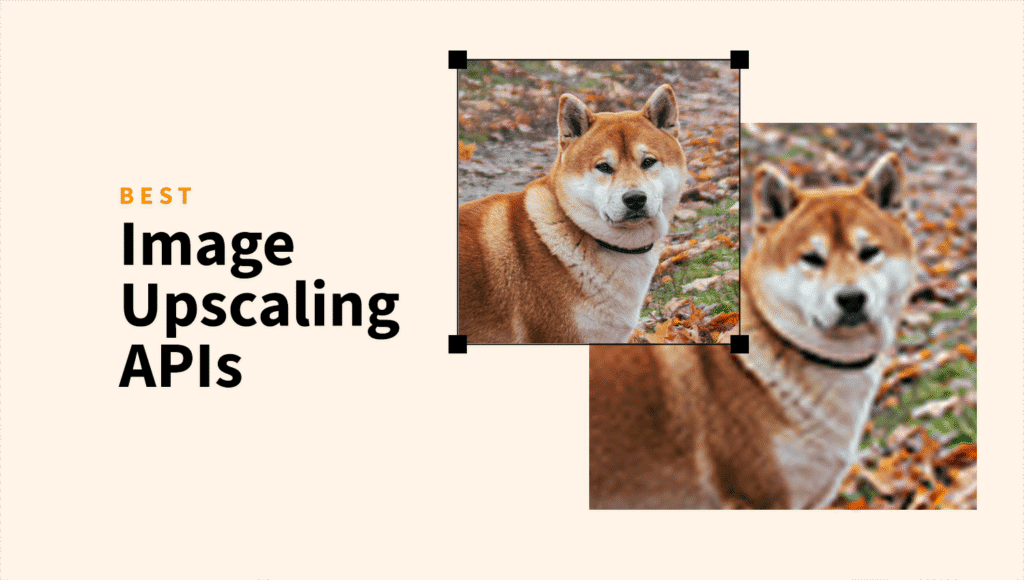
Image upscaling has come a long way. Instead of stretching pixels or relying on browser-side tricks, modern APIs use machine learning to increase resolution while keeping edges sharp and noise under control.
Whether you’re building a photo-heavy application, an ecommerce store, or a media tool, an upscaling API gives you consistent results without maintaining your own image-processing stack.
In this post, we’ll look at how image upscaling works, what to consider when choosing an API, and how to implement upscaling in PHP.
ShortPixel
ShortPixel is widely known in the website world, primarily for making images load faster.
It provides AI-based enlargement through its Reducer API. It supports 2x, 3x, and 4x upscaling along with compression and optional WebP or AVIF conversion.
PHP example
<?php

$apiKey = "<<YOUR_SHORTPIXEL_API_KEY>>";
$imageUrl = "https://example.com/photo.png";

$data = json_encode([
    "key" => $apiKey,
    "plugin_version" => "MYAPP",
    "urllist" => [$imageUrl],
    "upscale" => 4,
    "lossy" => 1,
    "wait" => 30,
]);

$ch = curl_init("https://api.shortpixel.com/v2/reducer.php");

curl_setopt_array($ch, [
    CURLOPT_POST => true,
    CURLOPT_RETURNTRANSFER => true,
    CURLOPT_HTTPHEADER => [
        "Content-Type: application/json",
        "Accept: application/json"
    ],
    CURLOPT_POSTFIELDS => $data
]);

$response = curl_exec($ch);
curl_close($ch);

echo $response;
?>
Pixelcut Upscaler API
Pixelcut offers a fast AI upscaling service aimed at ecommerce visuals and product photography. It supports 2x and 4x enlargement and keeps the API simple by focusing only on enhancement and background cleanup.
PHP example
<?php

$curl = curl_init();

curl_setopt_array($curl, array(
  CURLOPT_URL => 'https://api.developer.pixelcut.ai/v1/upscale',
  CURLOPT_RETURNTRANSFER => true,
  CURLOPT_ENCODING => '',
  CURLOPT_MAXREDIRS => 10,
  CURLOPT_TIMEOUT => 0,
  CURLOPT_FOLLOWLOCATION => true,
  CURLOPT_HTTP_VERSION => CURL_HTTP_VERSION_1_1,
  CURLOPT_CUSTOMREQUEST => 'POST',
  CURLOPT_POSTFIELDS =>'{
  "image_url": "https://cdn3.pixelcut.app/product.jpg",
  "scale": 2
}',
  CURLOPT_HTTPHEADER => array(
    'Content-Type: application/json',
    'Accept: application/json',
    'X-API-KEY: <API_KEY_VALUE>'
  ),
));

$response = curl_exec($curl);

curl_close($curl);
echo $response;
ImgUpscaler API
ImgUpscaler provides enlargement up to 8x depending on the model selected. The service is lightweight and designed for quick integrations with simple JSON responses.
PHP example
<?php

$url = "https://imageupscaler.com/api/update_image.php?method=upscale-image-4x";
$localImagePath = '/path/to/your/photo.png';

$ch = curl_init($url);
$cfile = new CURLFile($localImagePath, 'image/png', 'photo.png');

curl_setopt_array($ch, [
    CURLOPT_POST => true,
    CURLOPT_RETURNTRANSFER => true,
    CURLOPT_HTTPHEADER => [
        "Authorization: Bearer <<API_KEY>>"
    ],
    CURLOPT_POSTFIELDS => [
        'file_image' => $cfile
    ]
]);

$response = curl_exec($ch);

if (curl_errno($ch)) {
    echo 'Error:' . curl_error($ch);
}

curl_close($ch);

echo $response;
?>
DeepAI Super Resolution API
DeepAI offers a general purpose super resolution model that enlarges images while keeping edges clean. It uses a straightforward REST interface and returns a new file URL after processing.
PHP example
<?php

require 'vendor/autoload.php'; // Ensure you have Guzzle installed (composer require guzzlehttp/guzzle)

use GuzzleHttp\Client;
use GuzzleHttp\Psr7\Utils;

$client = new Client();
$headers = [
    'api-key' => 'YOUR_API_KEY'
];
$options = [
    'multipart' => [
        [
            'name'     => 'image',
            'contents' => 'YOUR_IMAGE_URL'
        ],
    ]
];
$request = new GuzzleHttp\Psr7\Request('POST', 'https://api.deepai.org/api/torch-srgan', $headers);
try {
    $res = $client->sendAsync($request, $options)->wait();
    echo $res->getBody();
} catch (Exception $e) {
    echo 'Error: ' . $e->getMessage();
}
?>
Replicate AI Upscalers
Replicate hosts a wide range of community and commercial super-resolution models such as Real-ESRGAN. Each model has its own endpoint, but the request pattern is consistent.
PHP example
<?php

$apiKey = "<<YOUR_REPLICATE_API_KEY>>";
$modelVersion = "<<SUPER_RESOLUTION_MODEL_VERSION_ID>>";
$imageUrl = "https://example.com/input_image.jpg";

$data = json_encode([
    "version" => $modelVersion,
    "input" => [
        "image" => $imageUrl,
        "scale" => 4
    ]
]);

$ch = curl_init("https://api.replicate.com/v1/predictions");

curl_setopt_array($ch, [
    CURLOPT_POST => true,
    CURLOPT_RETURNTRANSFER => true,
    CURLOPT_HTTPHEADER => [
        "Authorization: Token " . $apiKey,
        "Content-Type: application/json",
        "Prefer: wait=60"
    ],
    CURLOPT_POSTFIELDS => $data
]);

$response = curl_exec($ch);
curl_close($ch);

echo $response;
?>
Final notes
These APIs share a similar structure. Send an image URL or uploaded file, specify an upscaling factor, and handle the returned download link.
The differences are usually in speed, maximum scale, and pricing. If consistency and automation matter more than raw enlargement numbers, any of the above services will get the job done.