How AI Read Your Website Images (And What That Means for Your Site)

Search has quietly changed, and most website owners haven’t caught up yet.
For years, getting your images indexed meant filling in your alt text, giving files sensible names, and calling it a day.
Google would crawl your page, read the metadata, and that was pretty much that.
But the AI-powered crawlers running today? They’re doing something fundamentally different. They’re actually looking at your images.
From scanning to seeing
Modern AI crawlers use computer vision. The same class of technology that powers facial recognition and self-driving cars, to analyze images at a pixel level.
Object recognition means a crawler can spot a “red sneaker” or a “stainless steel French press” without any help from your filename.
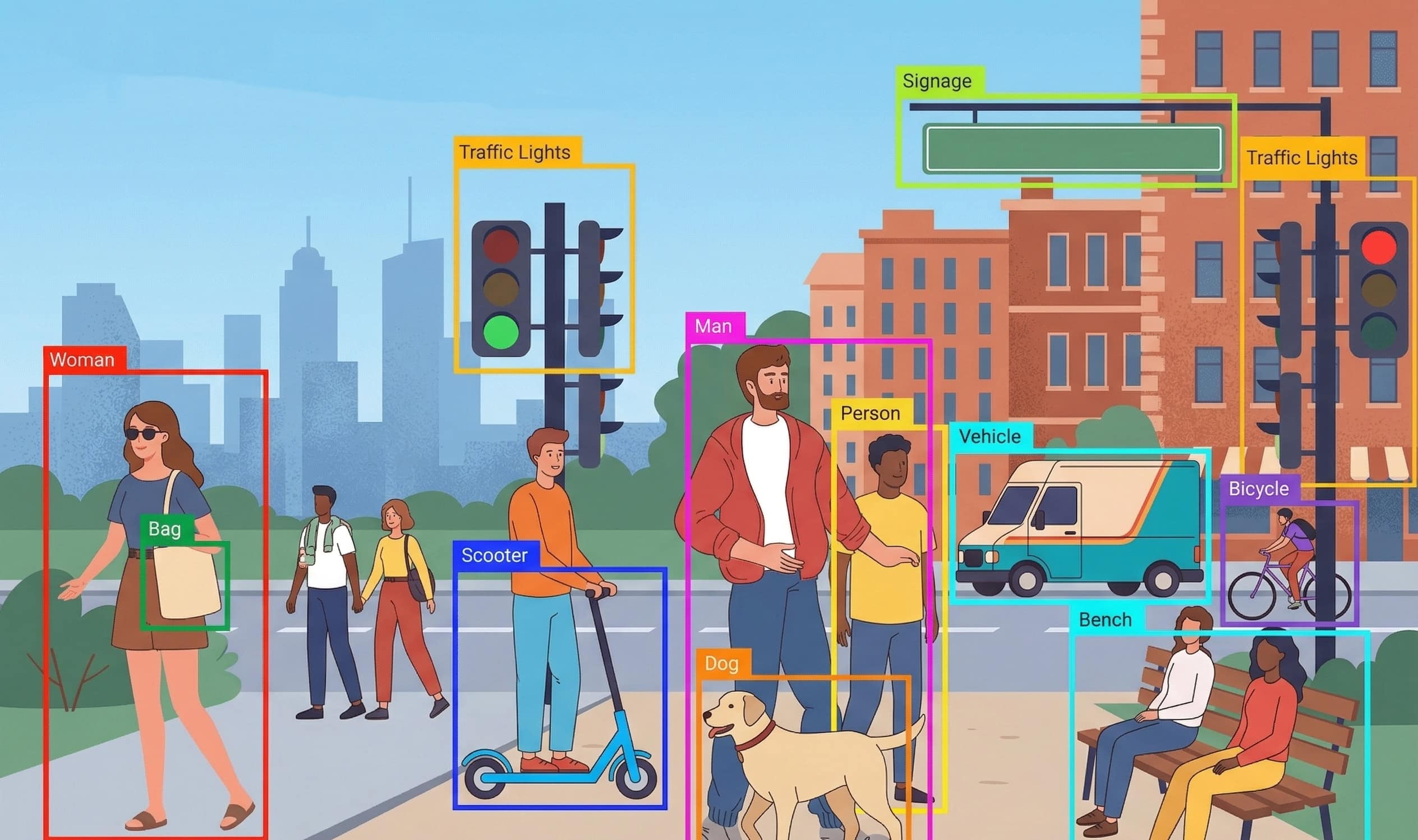
OCR (optical character recognition) lets them read text baked into infographics or product labels. And thanks to multimodal AI, models that process text and images together, they’re also picking up on how your visuals relate to the words on the page.
Googlebot Images has been doing this for a while now. OpenAI’s GPTBot does it too, largely to fuel ChatGPT’s ability to reason about visual content. Bing, Perplexity, they’re all using similar pipelines.
Here’s what that actually involves:
| Capability | What it does | Why it matters |
|---|---|---|
| Object recognition | Identifies specific items in a photo (“leather wallet,” “ceramic mug”) | Products get categorized even without text descriptions |
| Scene understanding | Reads the broader context like indoor vs outdoor, lifestyle vs product | Affects how images are matched to user intent |
| OCR | Reads text embedded inside images (infographics, labels, screenshots) | Makes visual content searchable as if it were plain text |
| Relevance scoring | Measures how well the image matches the surrounding page content | Generic stock photos increasingly get deprioritized |
| Multimodal analysis | Processes text and images together, not separately | Context from your copy reinforces (or contradicts) what the image shows |
You can verify which bots are visiting your site through your server logs or Google Search Console.
If you want to block specific crawlers, each has a documented user-agent string you can use in your robots.txt.
So what changes for you?
Mostly, it’s about what AI actually rewards now versus what it used to ignore.
Alt text still matters. Don’t throw it out. It’s still the clearest signal you can give a crawler about what an image contains. Now it’s more of a confirmation layer. The AI might already recognize that your image shows a walnut dining table, and your alt text is that you agree. But it’s still the clearest explicit instruction you can give a crawler, so don’t skip it. The difference now is that vague alt text could be more costly than it used to be, because it contradicts a more specific machine interpretation.
Image quality is more important than you think. Blurry, compressed-to-oblivion images are harder for computer vision systems to parse. A low-quality JPEG of your product might technically be “seen,” but the crawler’s interpretation will be fuzzier, and that affects how it gets categorized and surfaced.
Contextual relevance is being enforced. This is the big shift. AI crawlers are increasingly capable of detecting when an image doesn’t match its surrounding content. A blog post about industrial HVAC using a generic office lady drinking her latte photo may actively signal low-quality content. Use images that genuinely illustrate your topic.
The bigger picture: GEO
There’s a newer concept worth keeping on your radar, Generative Engine Optimization (GEO).
As AI-generated summaries and answer boxes become the norm (hi, Google AI Overviews), the game shifts from “how do I rank?” to “how do I get pulled into an AI response?”
For images, that means making your visuals genuinely descriptive and clearly tied to your content’s topic. It also means thinking about structured data, specifically marking up your images with Schema.org so AI agents can understand their purpose without having to guess.
Practical checklist: optimizing for AI crawlers
File and format basics
- Convert images to WebP or AVIF. Both formats offer better compression at equivalent quality, and modern crawlers handle them natively.
- Keep file sizes under 150KB for most web images by using an image file size reducer. Large files slow crawl budgets, and AI vision pipelines are more resource-intensive than traditional crawlers.
- Use descriptive filenames:
walnut-dining-table-open-grain.jpgbeatsIMG_4823.jpg. Crawlers do still read filenames. I wrote a topic on how to boost your Google Image SEO, so make sure to check it out! - Use an image CDN to improve performance.